
Set an employee to earn a specific pay rate in ClockShark. Then you can run the Pay Rate report to get a quick total of how much labor was spent for a job, task or employee.
Edit pay rates
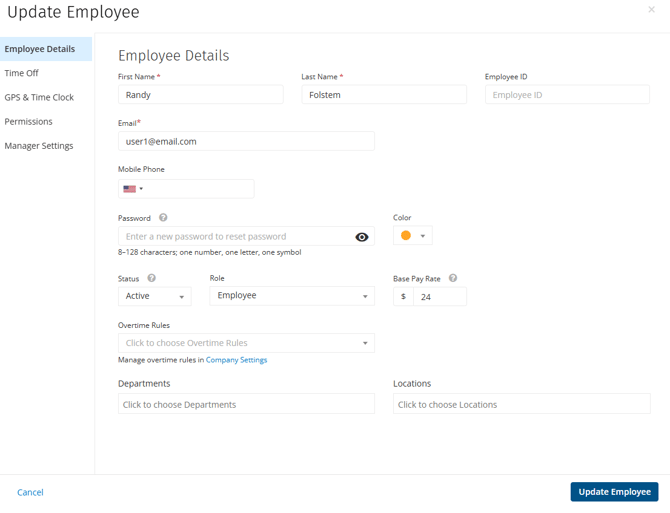
To edit pay rates for an employee:
- Go to Admin > Employees.
- Create a new employee or edit an existing one.
- Under Base Pay Rate enter the rate per hour.
- Click Create Employee / Update Employee.
Run the pay rate report
After employees have been scheduled to jobs, you can use the Pay Rate report to calculate how much labor was spent. This pay rate is not part of any payroll integration export.
Learn more in the Pay Rates Report.