
ClockShark integrates with Paylocity to streamline payroll processing for field service and construction companies. By connecting your accounts, you can map employees, jobs, and tasks to Paylocity entities, then export time entries directly to Paylocity's Pay Entry API for seamless payroll management.
This integration removes the need for manual data entry, reducing payroll processing time by up to 30% and virtually eliminating human error.
Set up the integration
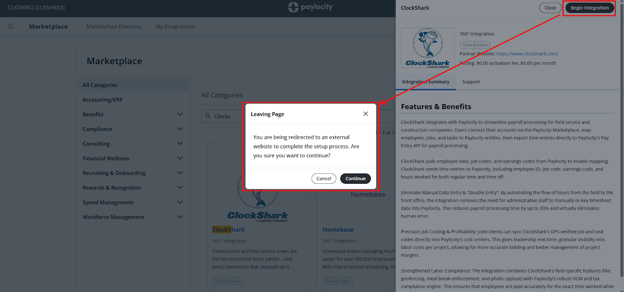
Before starting, ensure you meet the following requirements:
- You must have an existing ClockShark account.
- Log in to your ClockShark account before starting the integration for a smoother redirection process.
- Add your employees to ClockShark before starting so you can use Employee Auto-Mapping during setup.
Once you start the integration flow in Paylocity, you cannot restart it yourself. If you need to stop or the process fails, contact ClockShark Support for assistance.
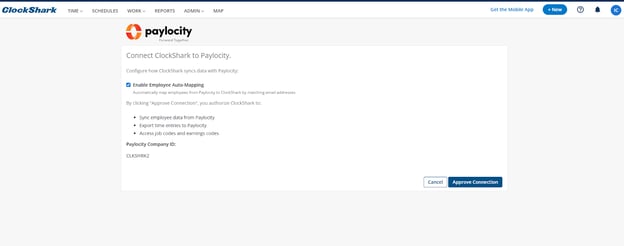
To set up the Paylocity integration in ClockShark:
- Click ADMIN and click Integrations.
- Click on Paylocity to go to their marketplace.
- Log in to the Paylocity Marketplace.
- Find the ClockShark tile and click Begin Integration.
- On the Leaving Page confirmation screen, click Continue to grant ClockShark access to your Paylocity data.
- You are redirected to ClockShark. On the Connect ClockShark to Paylocity page, select Enable Employee Auto-Mapping to automatically match employees by email address.
- Review the authorization details and click Approve Connection.
ClockShark will begin pulling data from Paylocity, which may take a few minutes. The page auto-refreshes to the settings page once complete, but you can navigate away as the process runs in the background.
This integration does not currently support creating tasks, jobs, or employees in either direction. Employee auto-mapping is only synced during setup.
Configure integration settings
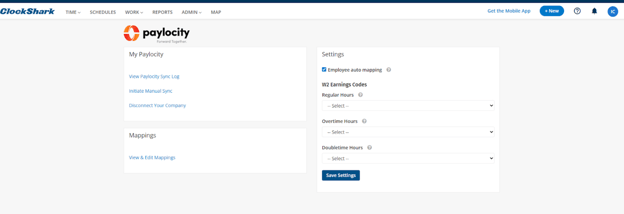
The Settings page allows you to manage how data syncs between ClockShark and Paylocity. Go to Admin > Integrations and select Manage Integration on the Paylocity tile.
From the My Paylocity section, you can:
- View Paylocity Sync Log: Review the history of setup actions, exports, and data pulls.
- Initiate Manual Sync: Force an immediate pull of data from Paylocity (e.g., if you just added new employees in Paylocity).
- Disconnect Your Company: End the integration between the two platforms.
Set default earnings codes
You must set default earnings codes before you can export time. These codes serve as a fallback for any task that does not have specific mapping.
- Under W2 Earnings Codes, select the appropriate Paylocity codes for:
- Regular Hours
- Overtime Hours
- Doubletime Hours
- Click Save Settings.
Manage mappings
Click View & Edit Mappings to define how specific ClockShark data matches Paylocity records.
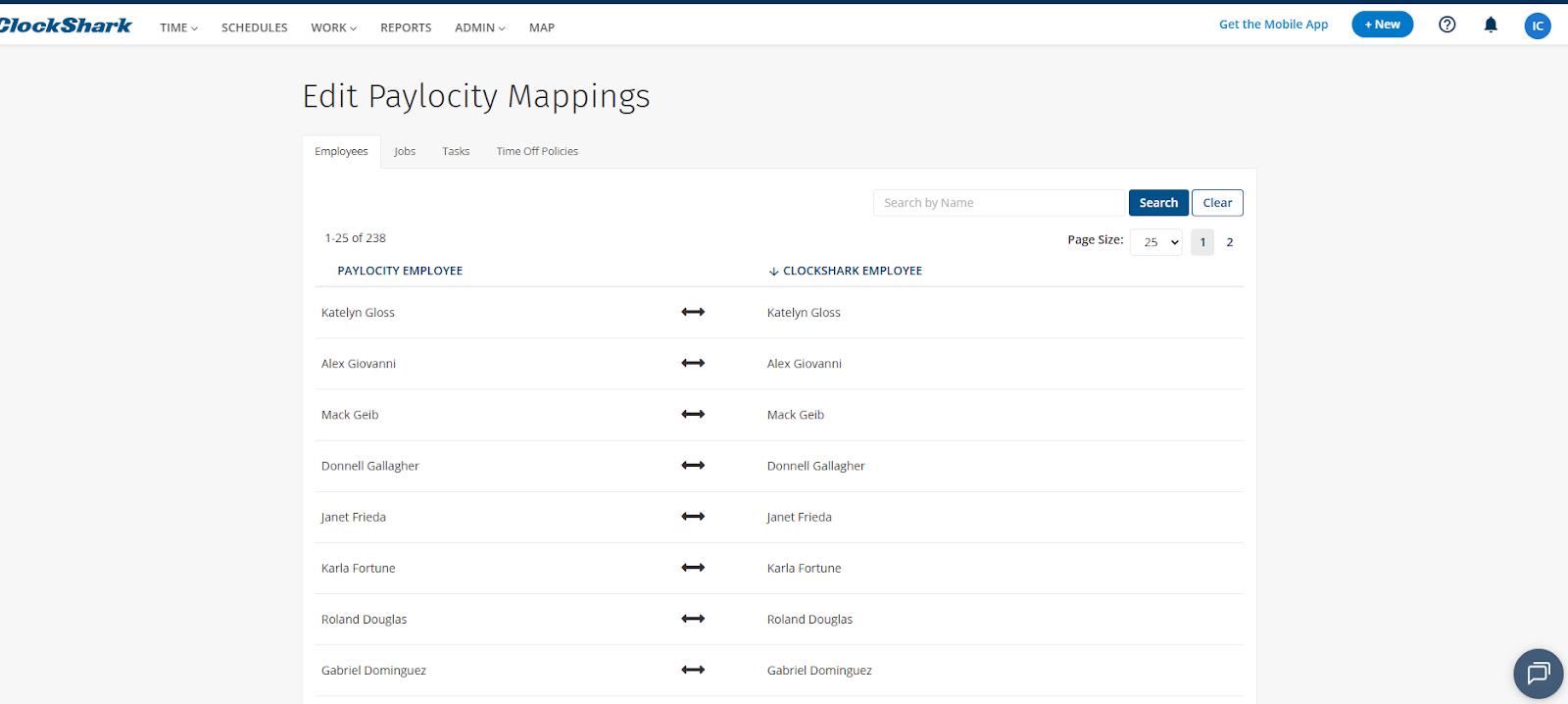
| Tab | Description |
| Employees | Manually map, add, or remove links between ClockShark and Paylocity employees. |
| Jobs | Map ClockShark jobs to Paylocity job codes for accurate job costing. |
| Tasks | Assign specific earnings codes for each task. If a cell is left blank, the integration uses the default codes set in Settings. |
| Time Off Policies | Map ClockShark time off policies to the corresponding Paylocity earnings codes. |
This integration does not currently support mapping for holidays.
Export time to Paylocity
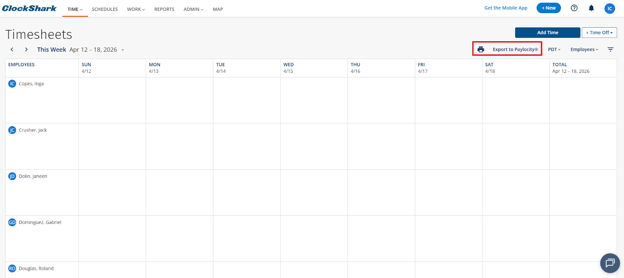
Once your settings and mappings are complete, you can export time entries directly from the Timesheets page.
- Go to Time > Timesheets.
- Click Export to Paylocity®.
- In the Date Range field, select your pay period (e.g., Last Pay Period) or enter a custom range (Max 31 days).
- The system prepares the export and displays the number of Time Activities and Time Off Entries to be sent.
- Review any Warnings, such as previously exported time or unapproved hours.
- Click Export.
Export is blocked if default earnings codes are missing or if employees with logged time are not mapped.
After the export is complete, you can verify the entries in the ClockShark Sync Log or directly within Paylocity.